Back up your media
A backup is a copy of your media that you download and keep: on your computer, on a drive, or with another service. This guide shows how to make one and what you get.
For everyone with media on nostr.build.
The pictures show a phone. On a computer the pages look the same, only wider.
On this page
What a backup is
- Your files are packed into ZIP archives that you download. Your media stays on nostr.build as before.
- A big library, or one with many files, comes as several archives. Download all of them.
- A backup can be downloaded for 30 days. After that it is removed.
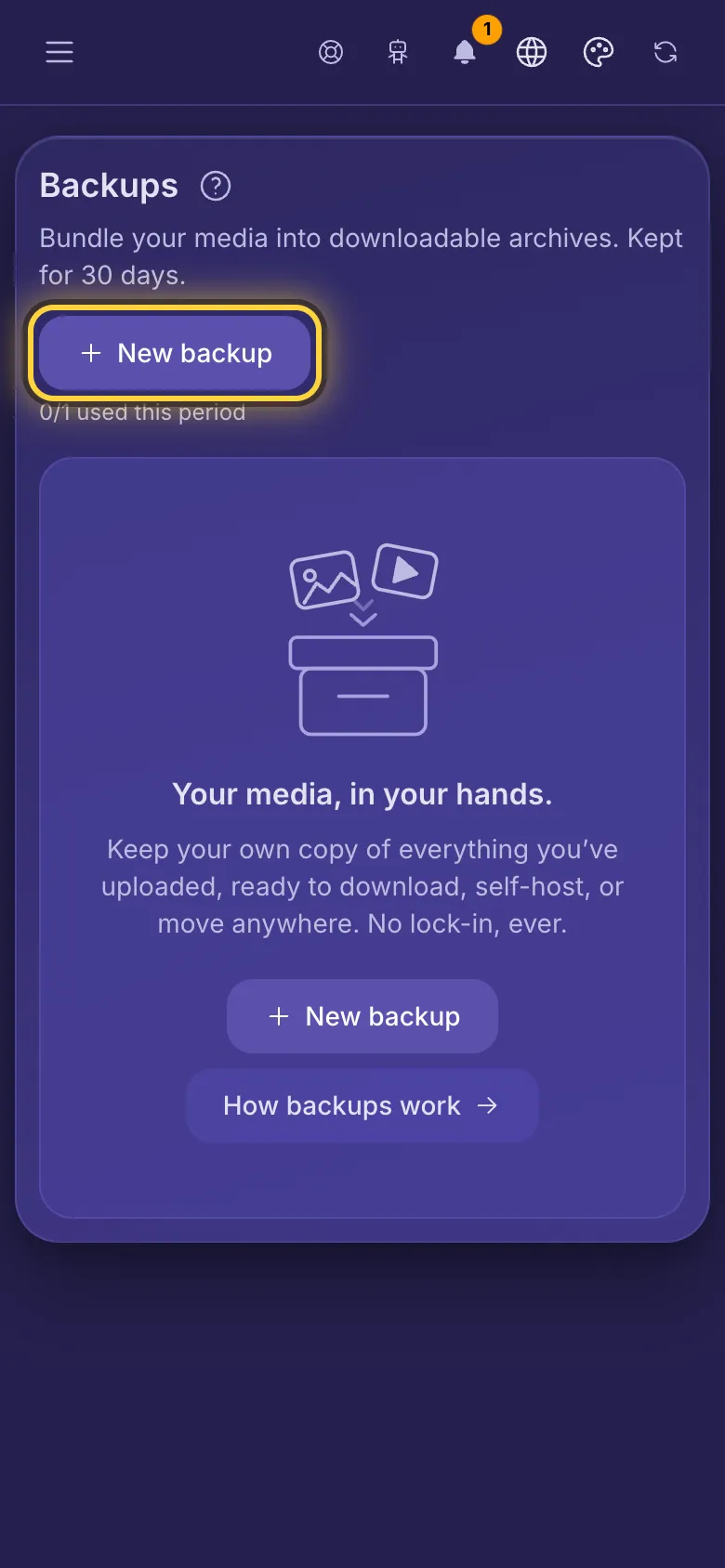
Make a backup
- Open the menu and tap Backups.
- Tap New backup.
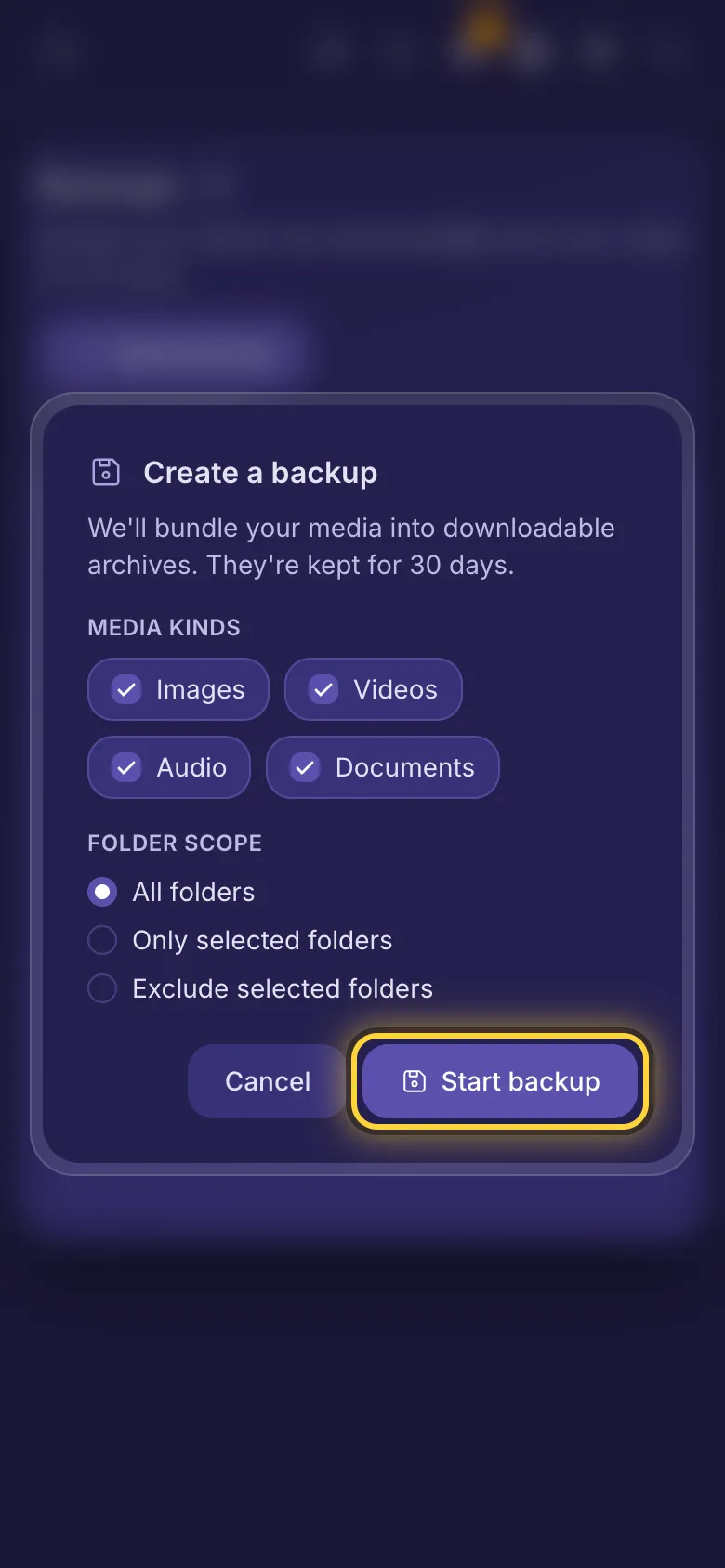
- Under Media kinds, untick what you don't want (all kinds are ticked at first).
- Under Folder scope, keep All folders, or pick Only selected folders or Exclude selected folders and tick the folders.
- Tap Start backup.
Wait for it
- The backup is made on our side, so you can close the page. Its row shows Queued, then Running, then Ready. If something goes wrong it shows Partial (some archives were made: download those) or Failed.
- When it's ready you get a notification in the bell at the top. If your account has a Nostr key, you also get a Nostr message, and an email if you have a confirmed email address and Account & security emails is switched on.
- Changed your mind? Tap Cancel on the row, then Stop backup. A canceled backup doesn't count against your plan, but you have to wait about an hour before starting a new one (not on Advanced).
Download it
- Tap View on the backup.
- Under Archives, tap Download for each archive. Each one can be downloaded as soon as it is ready.
Each archive also holds a file named _backup-manifest.json that lists the files in that archive (each one's name, type, size and upload date) and any file that was missing and skipped.
How often you can make one
- Purist: one backup a month. Professional: one every 2 weeks. Creator: one a week. Advanced: as many as you like. If your plan has expired, you can still make one backup a year.
- Only one backup can be made at a time. The note under New backup shows how many you have used this period and, once you reach the limit, when you can make the next one.
- A backup you delete still counts for the period, and so does one that ended Partial. One that failed or was canceled doesn't.
Delete a backup
Tap the bin icon on a finished backup, then Delete. Its archives are removed at once. Your media on nostr.build is not touched.
Still stuck? When something goes wrong explains the common error messages, and Get help shows how to reach the team.