Get help
Stuck on something these guides don't cover? Open a support ticket and the nostr.build team replies right in the app.
For everyone with an account, with or without a plan.
The pictures show a phone. On a computer the pages look the same, only wider.
On this page
Guides or a ticket?
- The lifebuoy button at the top right (Help) opens these guides in a new tab. Look there first: many answers are a few taps away.
- Support in the menu is where you write to the team. It has the same lifebuoy icon. On a phone, open the menu with the three lines at the top left; on a computer it sits down the left side.
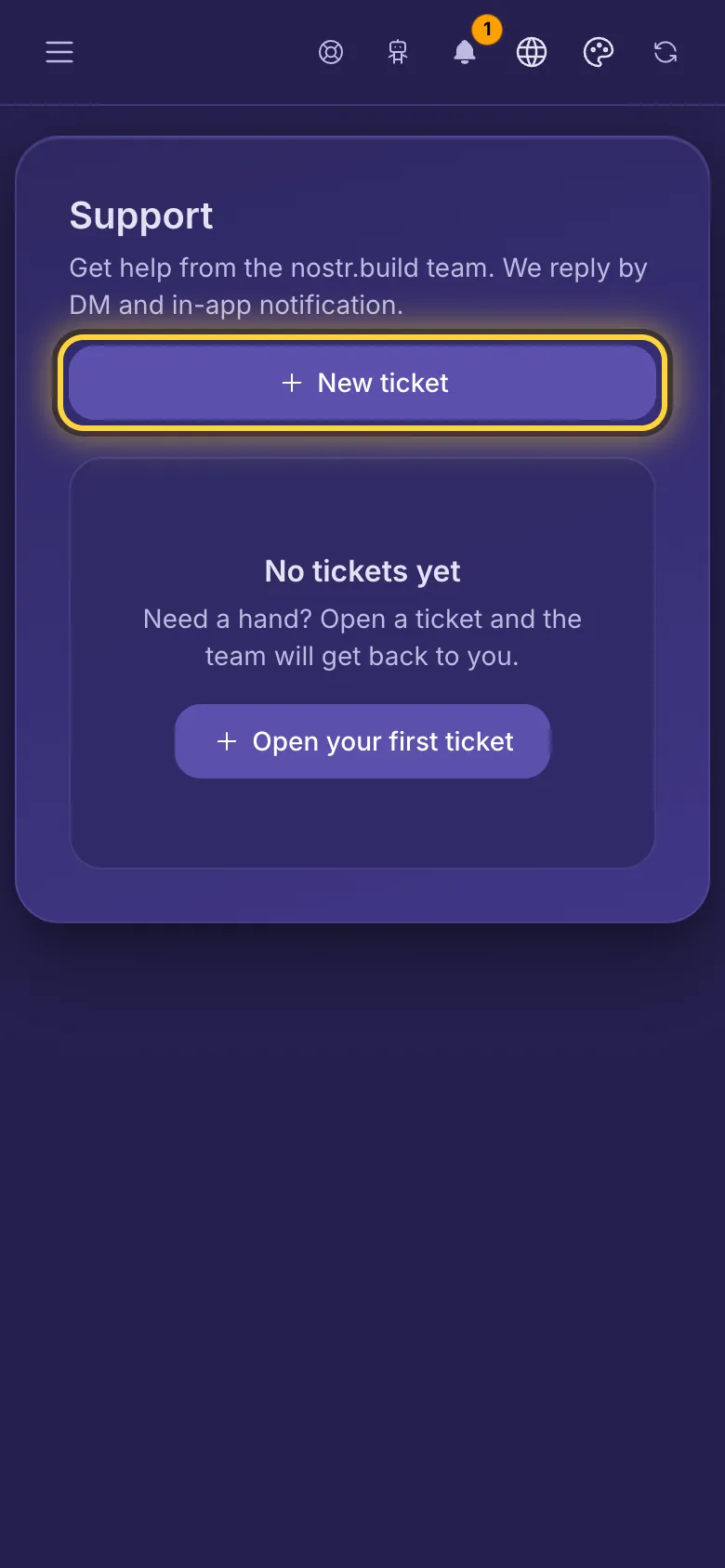
Open a ticket
- Open the menu and tap Support, then New ticket.
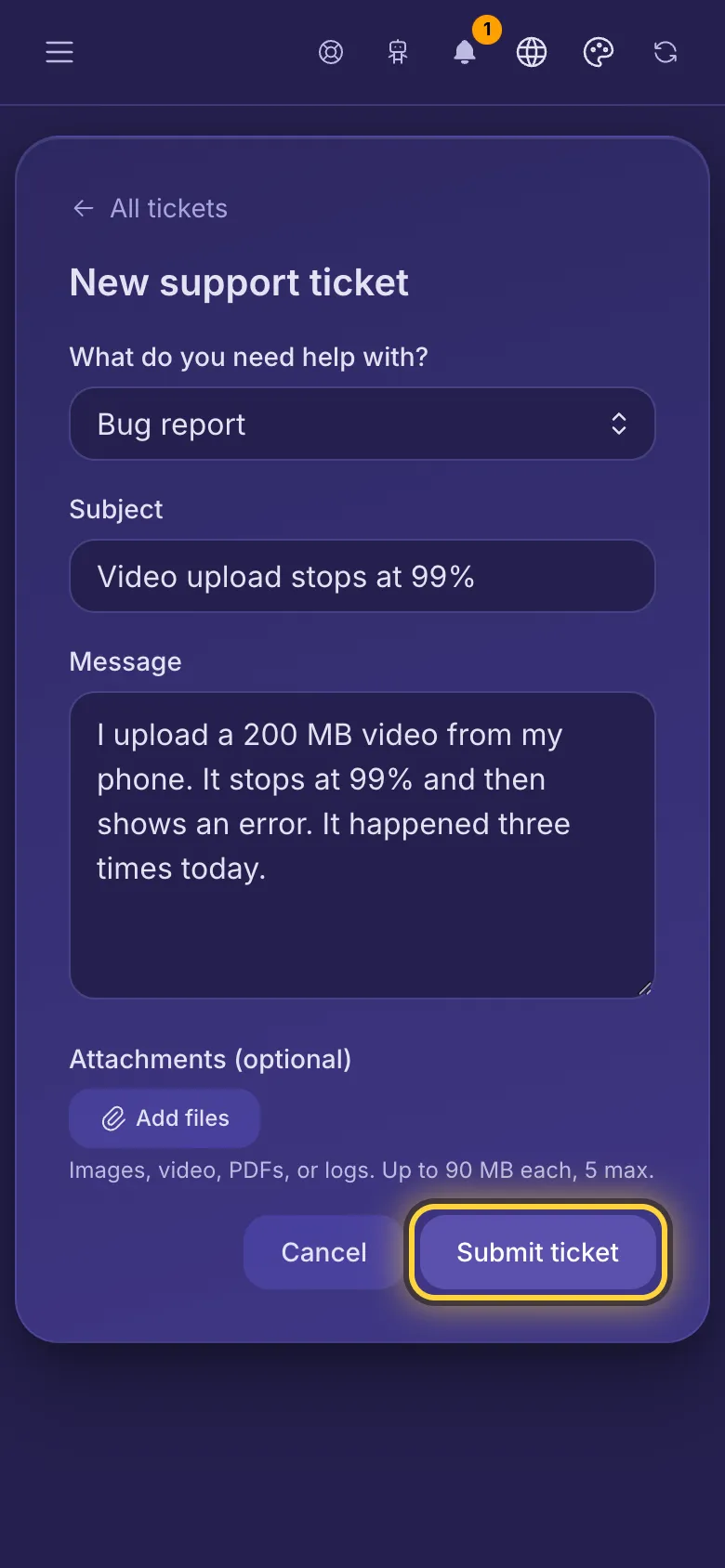
- Under What do you need help with?, pick what it's about.
- Give it a short Subject, then describe the problem under Message: what you did, what you expected, and what happened instead.
- Add screenshots or a short video with Add files (up to 5 files, 90 MB each). Each file uploads as soon as you pick it: wait until its spinner is gone.
- Tap Submit ticket. Your ticket opens, and you can come back to it any time under Support.
Without a plan you can have one ticket open at a time, with a plan up to 10. A ticket counts until the team marks it Resolved. After opening a ticket, wait a minute before you open another.
Replies
- When the team replies or marks your ticket solved, you get a notification in the bell at the top. If your account has a Nostr key, you also get a Nostr message. If you have a confirmed email address and Account & security emails is switched on, you get an email too.
- Open the ticket to read the answer. Write back in the box at the bottom and tap Send reply.
- Awaiting your reply next to a ticket means the team is waiting for you.
When it's solved
- The team marks the ticket Resolved. If the problem comes back, just reply: that opens it again.
- If nobody writes again, a solved ticket closes by itself after 7 days, and the team can also close it. A closed ticket can't take new replies: open a new one and mention the old one if it helps.
Can't sign in?
Tickets need you to be signed in. First try the steps in Signing in and your accounts. If you still can't get in, write to admin@nostr.build.