Light and colour
Brighten a dark photo, warm up a cold one, make colours pop or go black and white. Eight settings for fine control, and one-tap filters for a whole look.
For anyone whose photo came out too dark, too dull or the wrong colour, or who wants a different mood.
The pictures show a phone. On a computer the tools sit down the left side with their names, and the rest works the same way.
On this page
Fine-tune light and colour
- Tap Finetune.
- Tap a setting in the row under the picture.
- Slide the ruler under it until you like what you see. The number shows how far you went: below 0 is less, above 0 is more, and 0 is the photo as it was.
What each setting does:
- Brightness: the whole picture lighter or darker.
- Contrast: more or less difference between the light and dark parts. More looks crisp, less looks soft.
- Saturation: stronger or paler colours. At -100 the picture is black and white.
- Exposure: like letting more or less light into the camera. It brightens the light parts more than the shadows.
- Temperature: warmer (more yellow and orange) or cooler (more blue).
- Gamma: lightens or darkens the middle tones, and leaves the brightest and darkest parts alone.
- Clarity: crisper detail and texture, or a softer, dreamier look.
- Vignette: darker (or lighter) corners, which draw the eye to the middle.
One-tap looks
- Tap Filter.
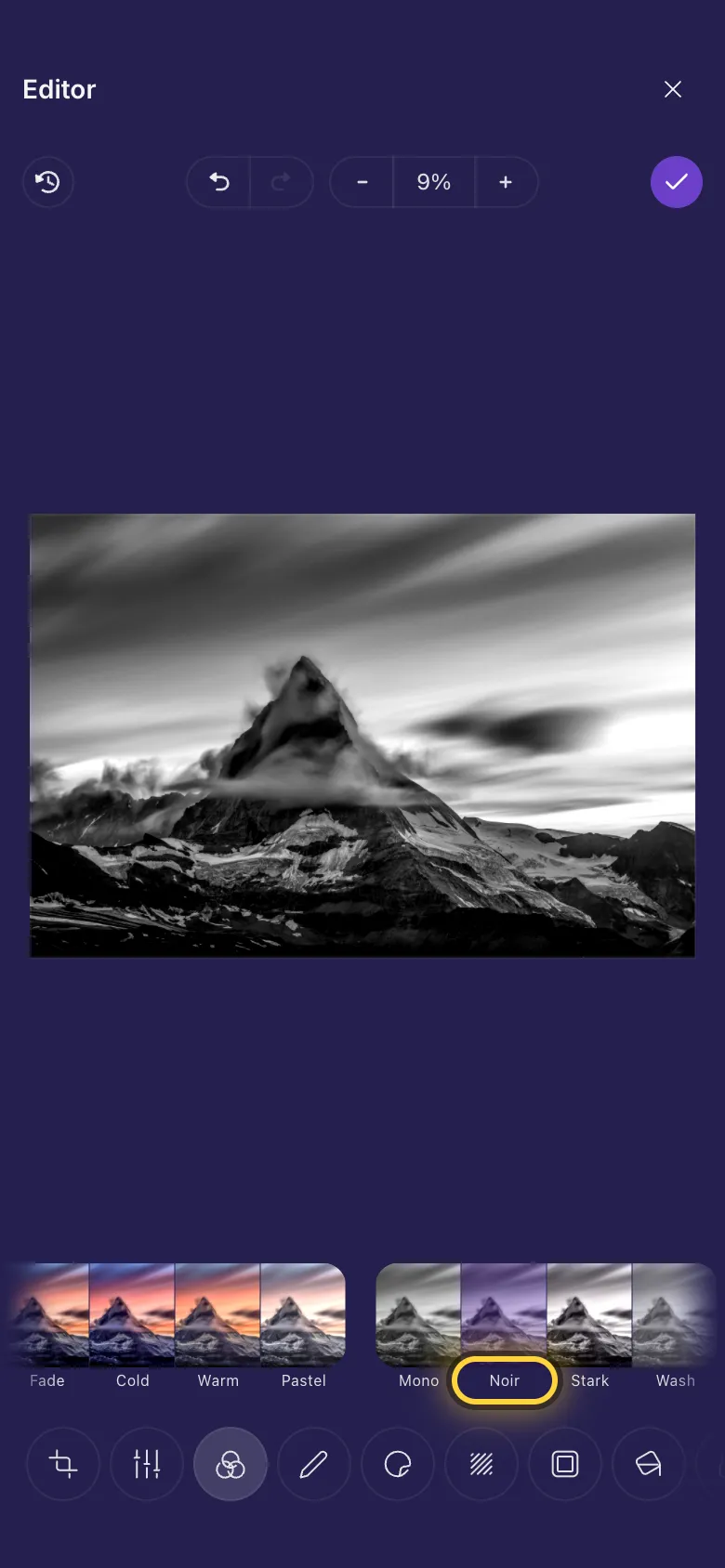
- Tap a look under the picture. Each one is a small preview of your photo with that look. Default takes the filter off again.
The looks come in families:
- Colour: Chrome, Fade, Cold, Warm and Pastel.
- Black and white: Mono, Noir, Stark and Wash.
- Old photo: Sepia, Rust, Blues and Color.
On a video
Finetune and filters work on videos too, and change the whole video.
Ideas
Rescue a dark photo
Brightness up a little, then Contrast up a touch so it doesn't look flat.
Moody black and white
Noir in Filter, then some Vignette in Finetune.
Fix a blue indoor photo
Raise Temperature above 0 until white things look white again.